
 Log In














|
Just follow the simple steps below to enjoy stabler and higher quality calls in Hong Kong with VoLTE and VoWi-Fi! VoWi-Fi enables you to keep in touch seamlessly in places with weak or no mobile network coverage, unaffected by network coverage or signal interference.
Reminder: Subject to the compatibility requirements of your device and operation system. VoLTE service is only available under LTE network coverage with designated handsets.
To use VoWi-Fi service, please enable VoLTE and Wi-Fi Calling on your device and connect to Wi-Fi to use. Voice minutes will be deducted during calls, while no data usage will be consumed. If there are no remaining voice minutes in your account, calls will be charged at related airtime rate. VoWi-Fi service is applicable in Hong Kong only |
|
iOS (Single SIM)
iOS (Dual SIM)
Android
|
|
iOS (Single SIM)  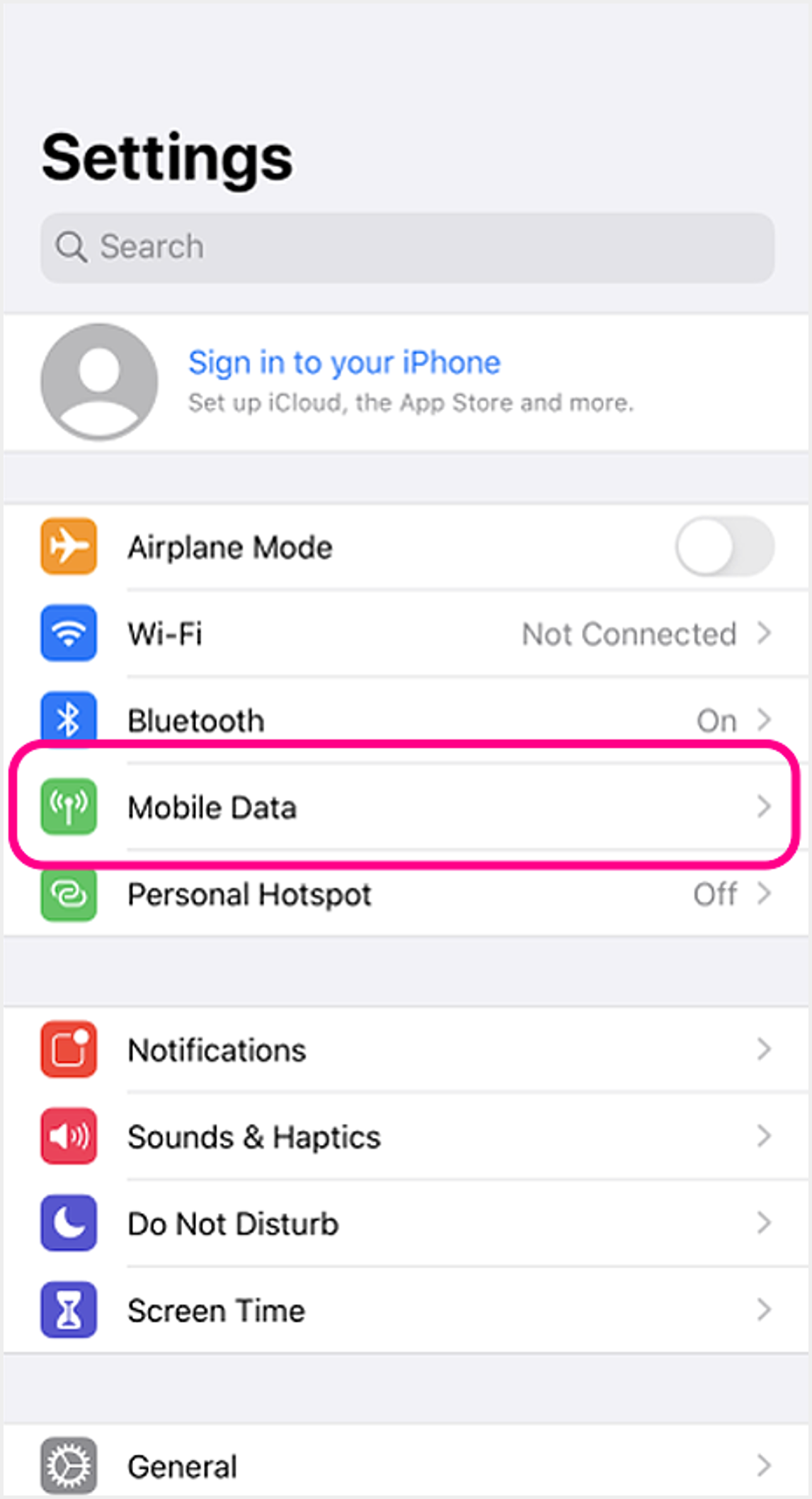 1 Go to device settings and select "Mobile Data" 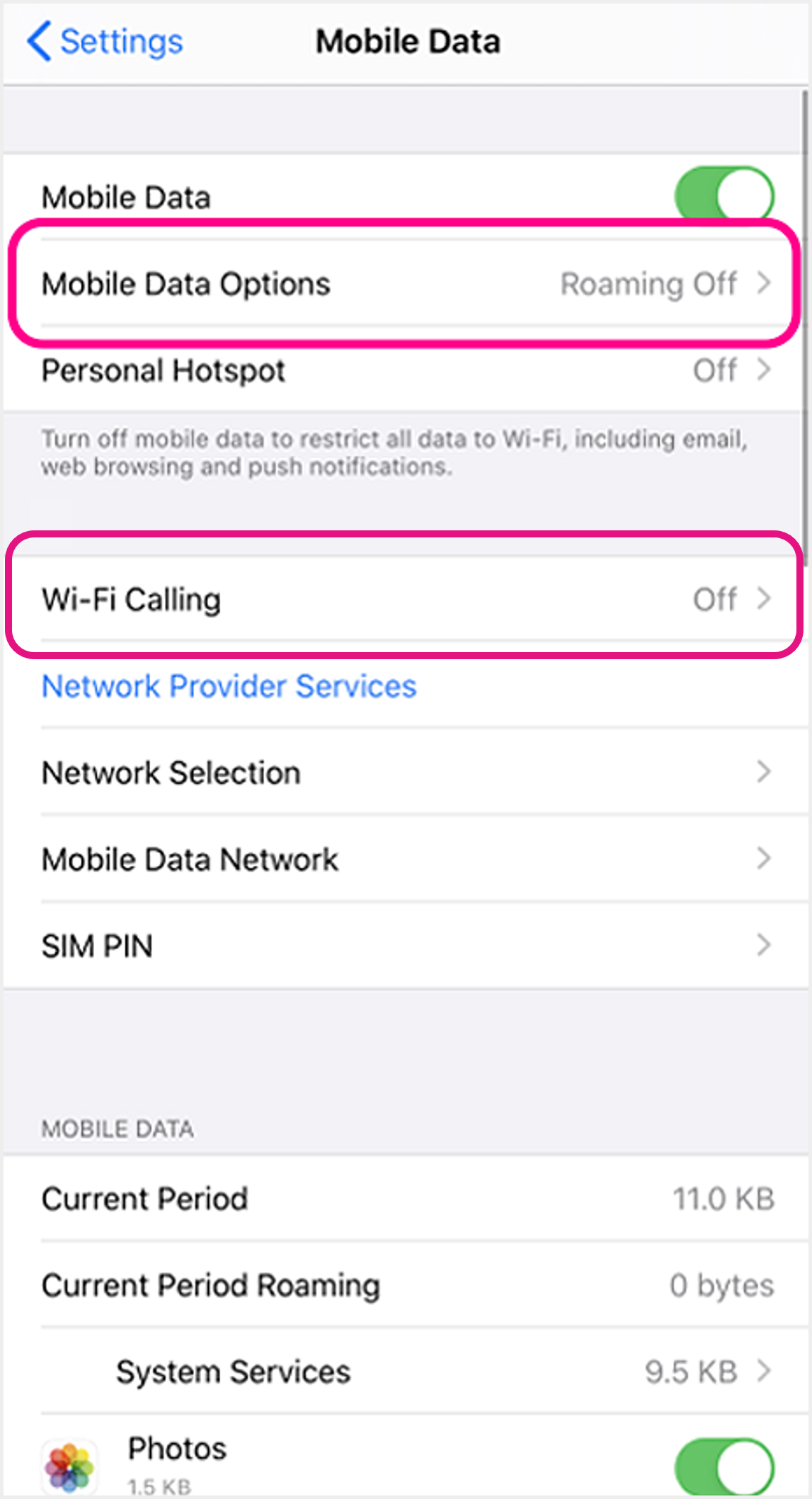 2 Set up VoLTE: Select "Mobile Data Options" to proceed
Set up VoWi-Fi: Click "Wi-Fi Calling" and turn ON the setting to use VoWi-Fi 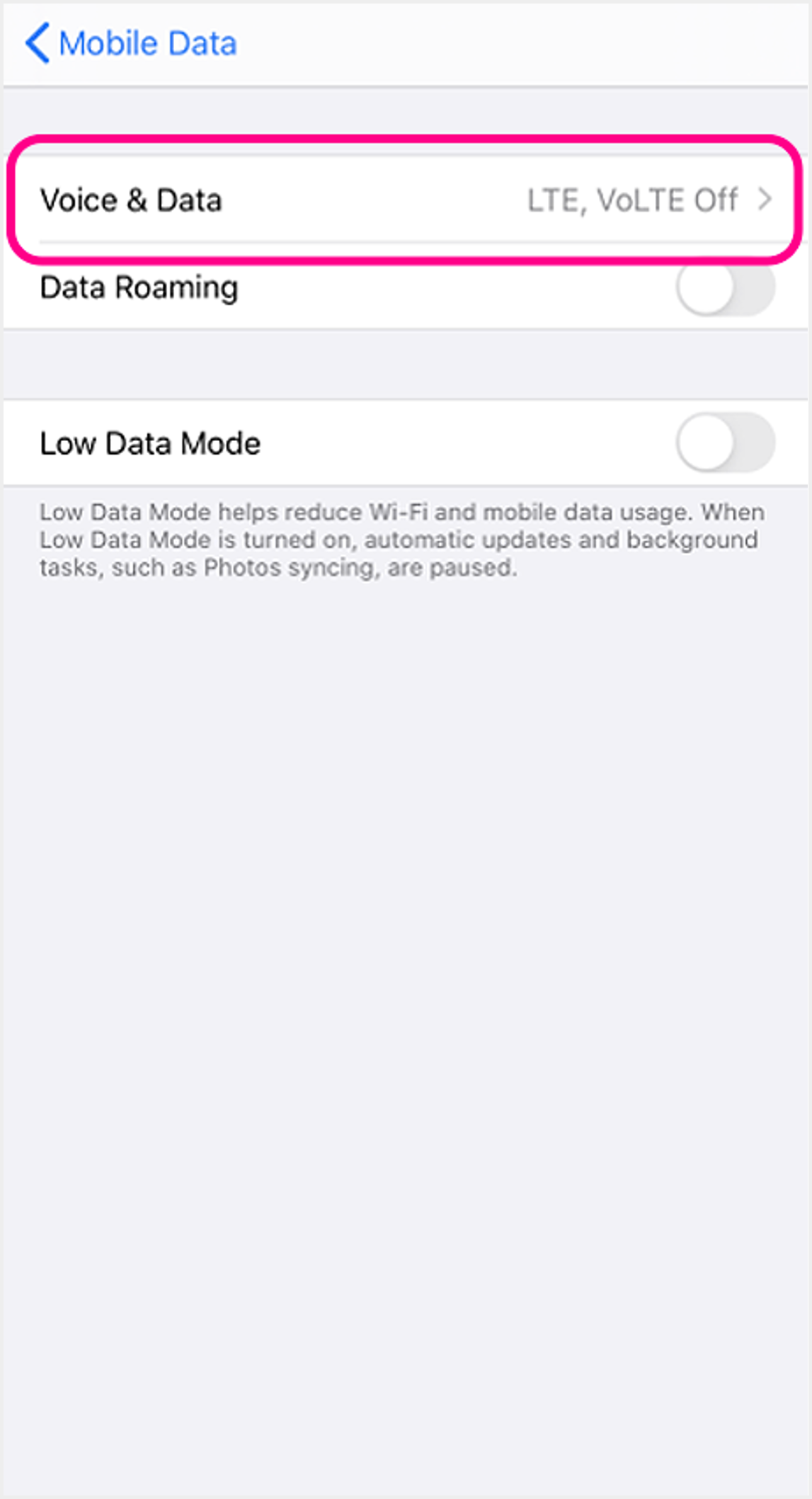 3 Select "Voice & Data" 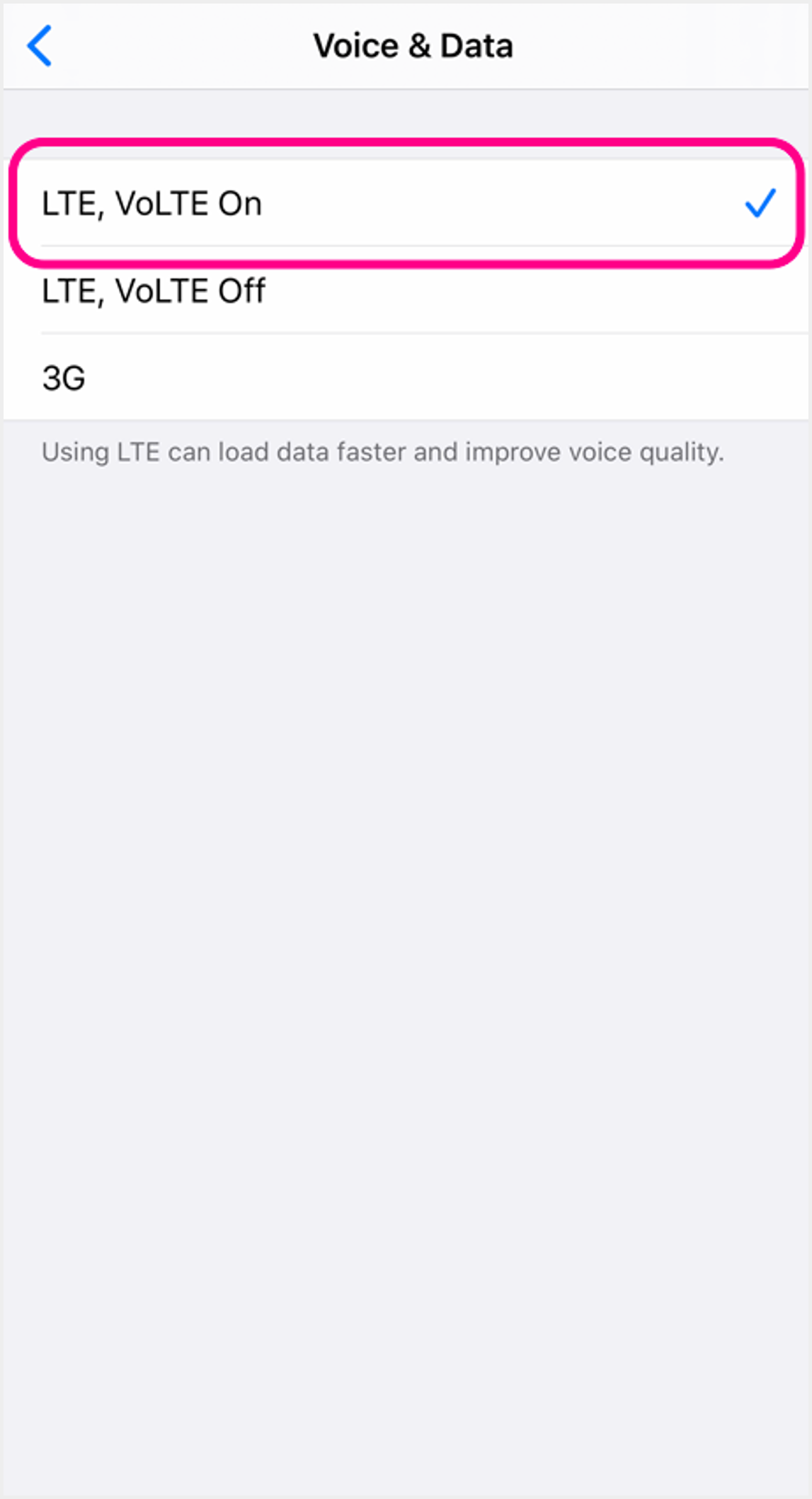 4 Select "VoLTE On" to use VoLTE |
|
iOS (Dual SIM) 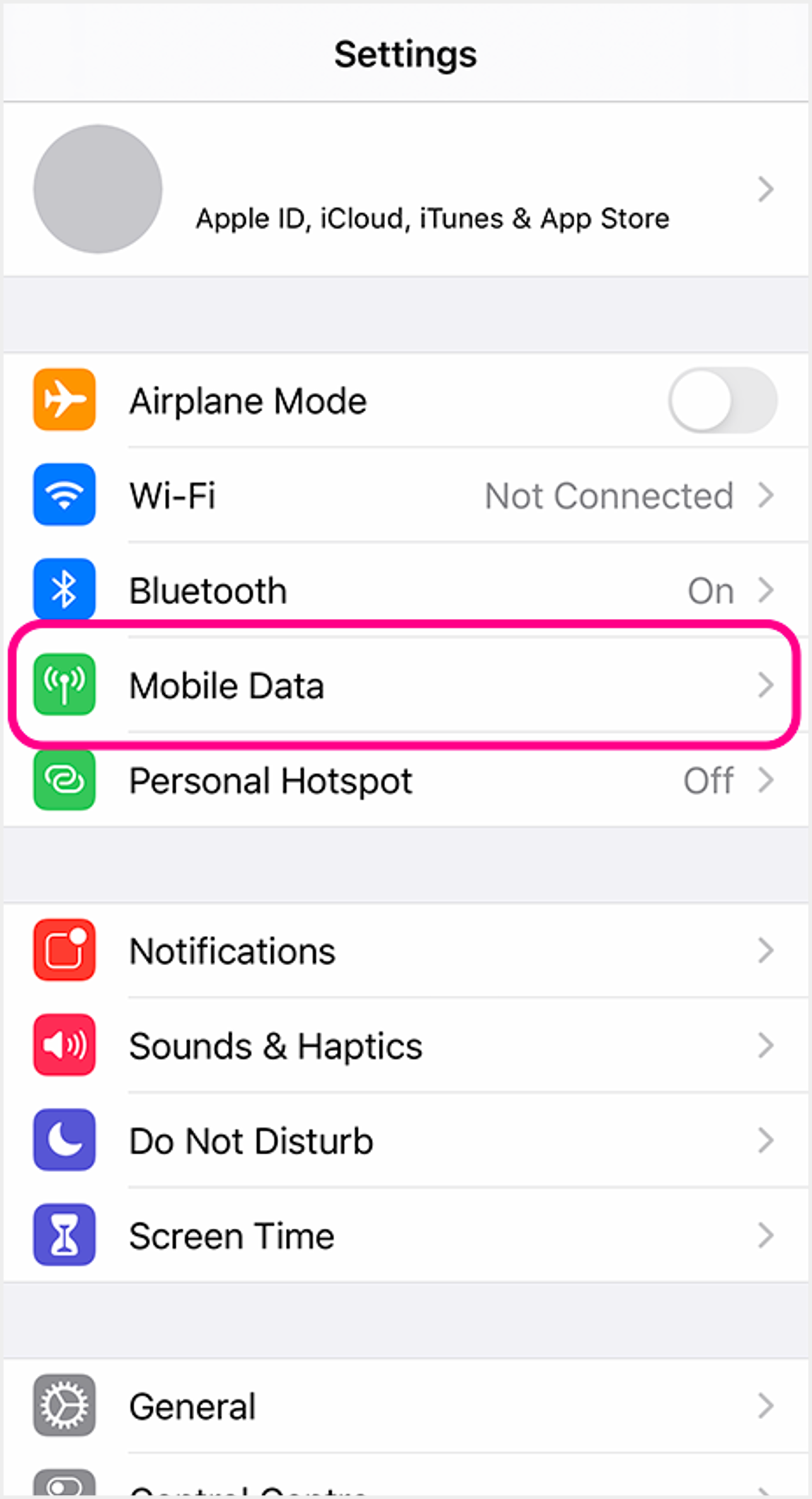 1 Go to device settings and select "Mobile Data" 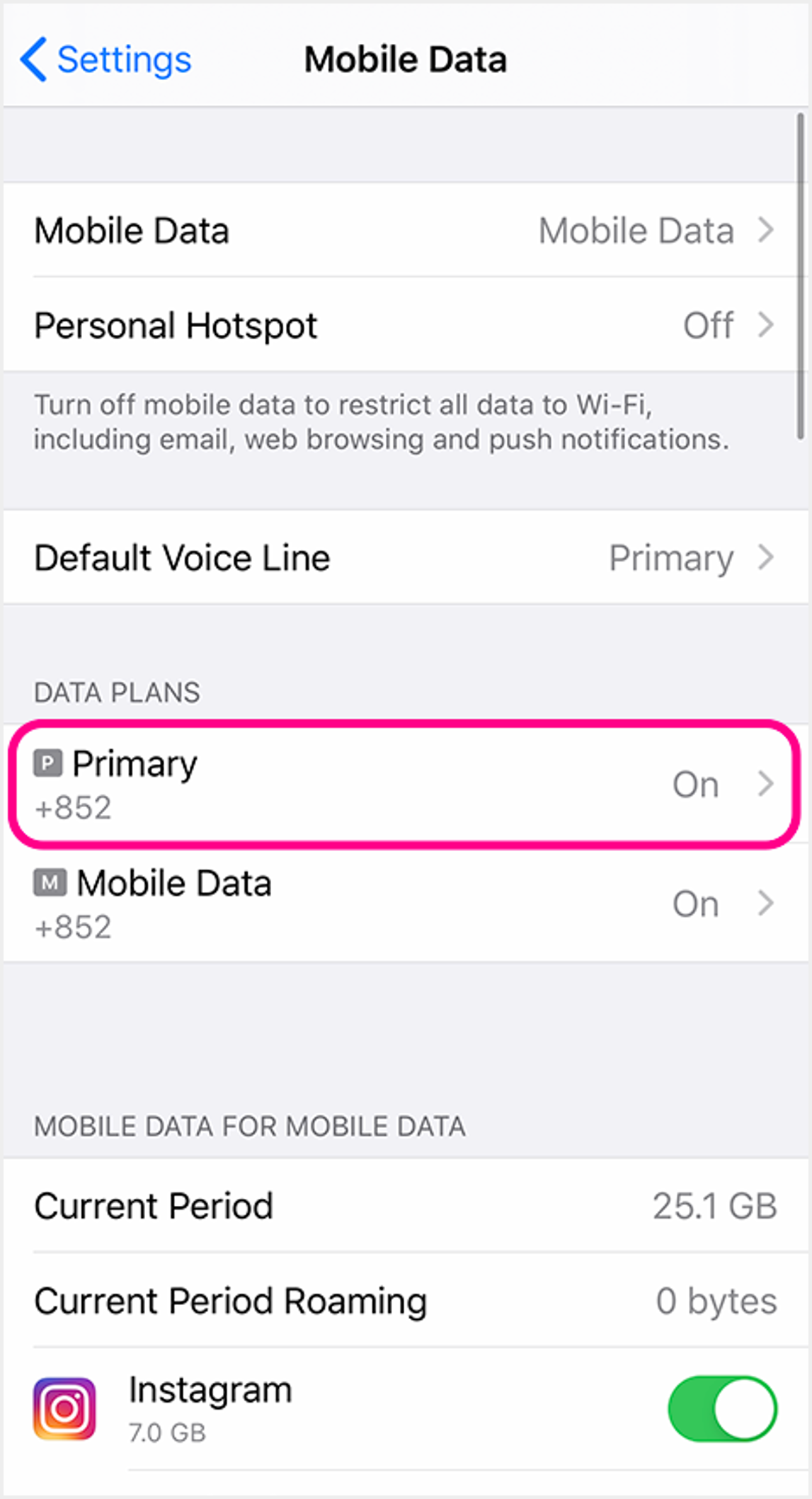 2 Select the SIM you wish to activate VoLTE or VoWi-Fi service 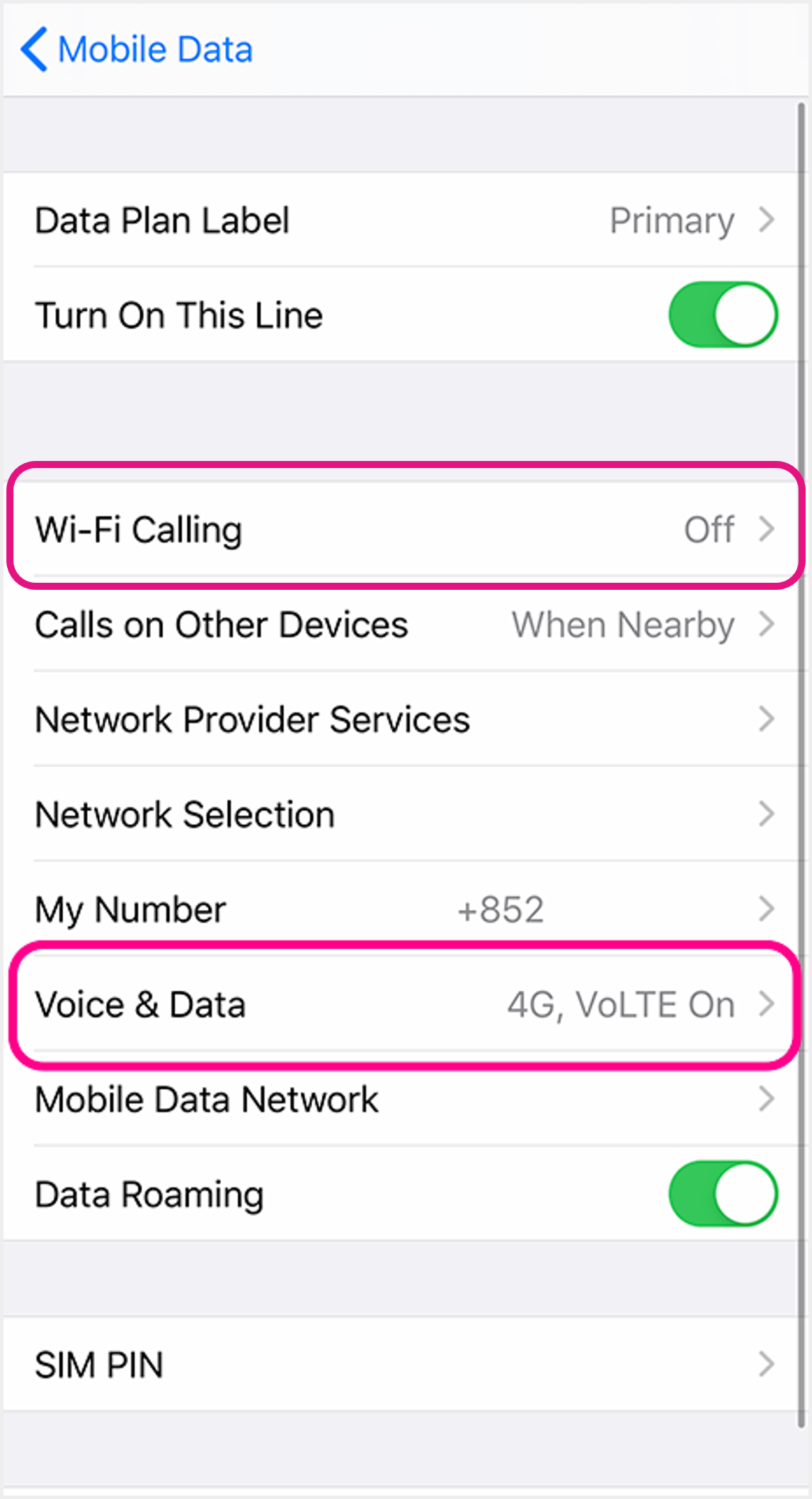 3 Set up VoLTE: Select "Voice & Data" to proceed
Set up VoWi-Fi: Click "Wi-Fi Calling" and turn ON the setting to use VoWi-Fi 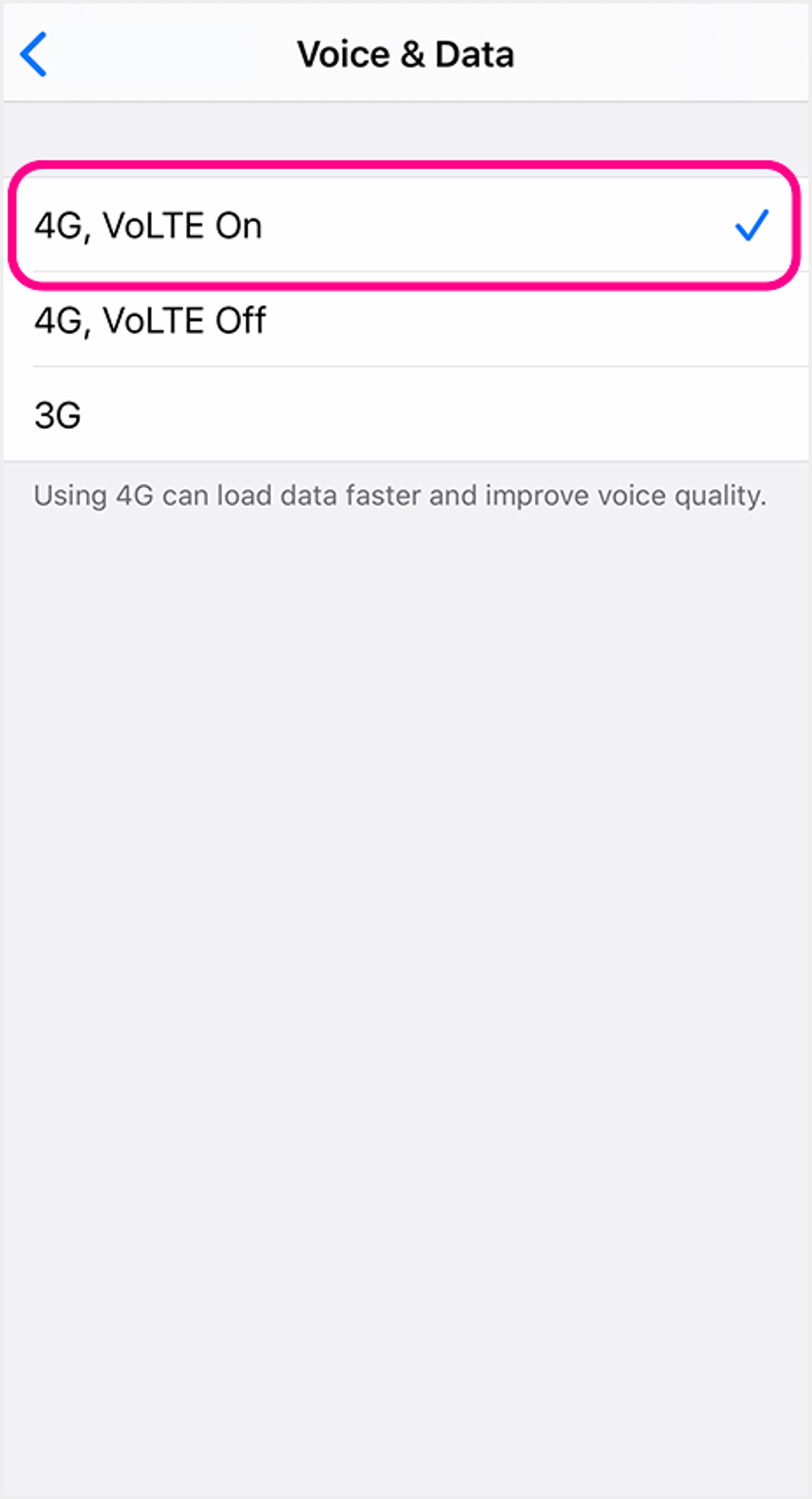 4 Select "VoLTE On" to use VoLTE |
|
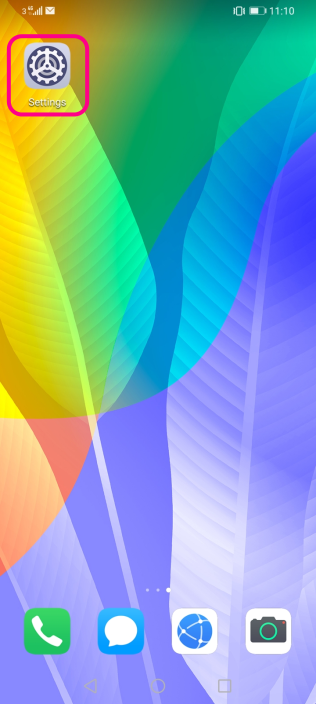
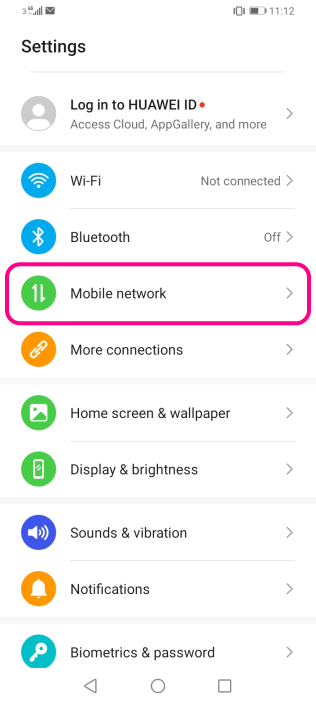
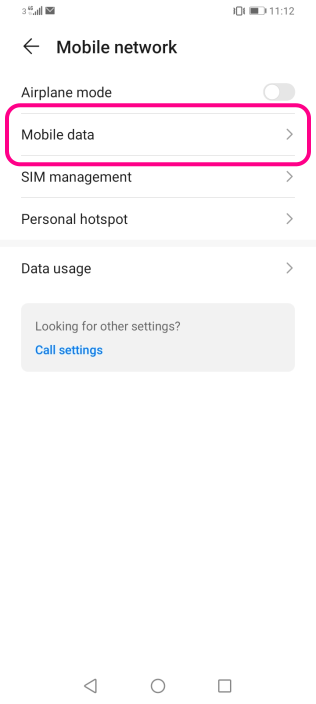
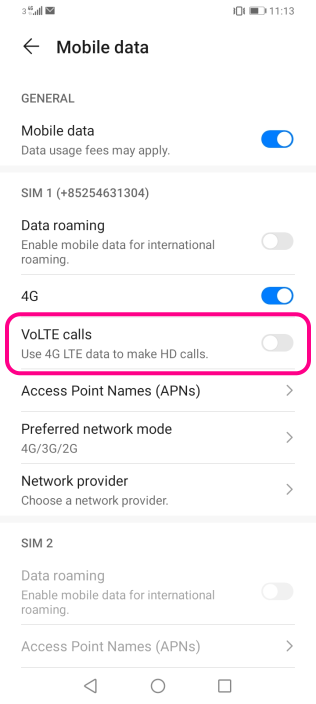
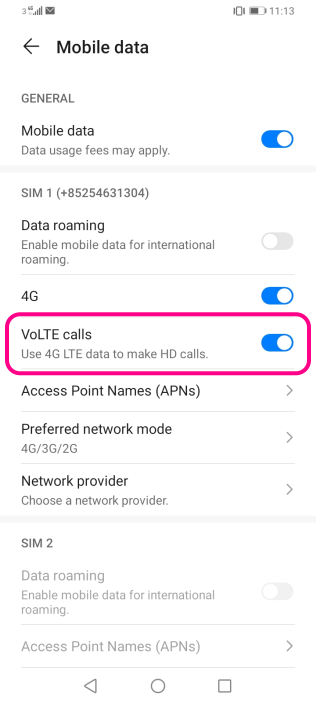
Android 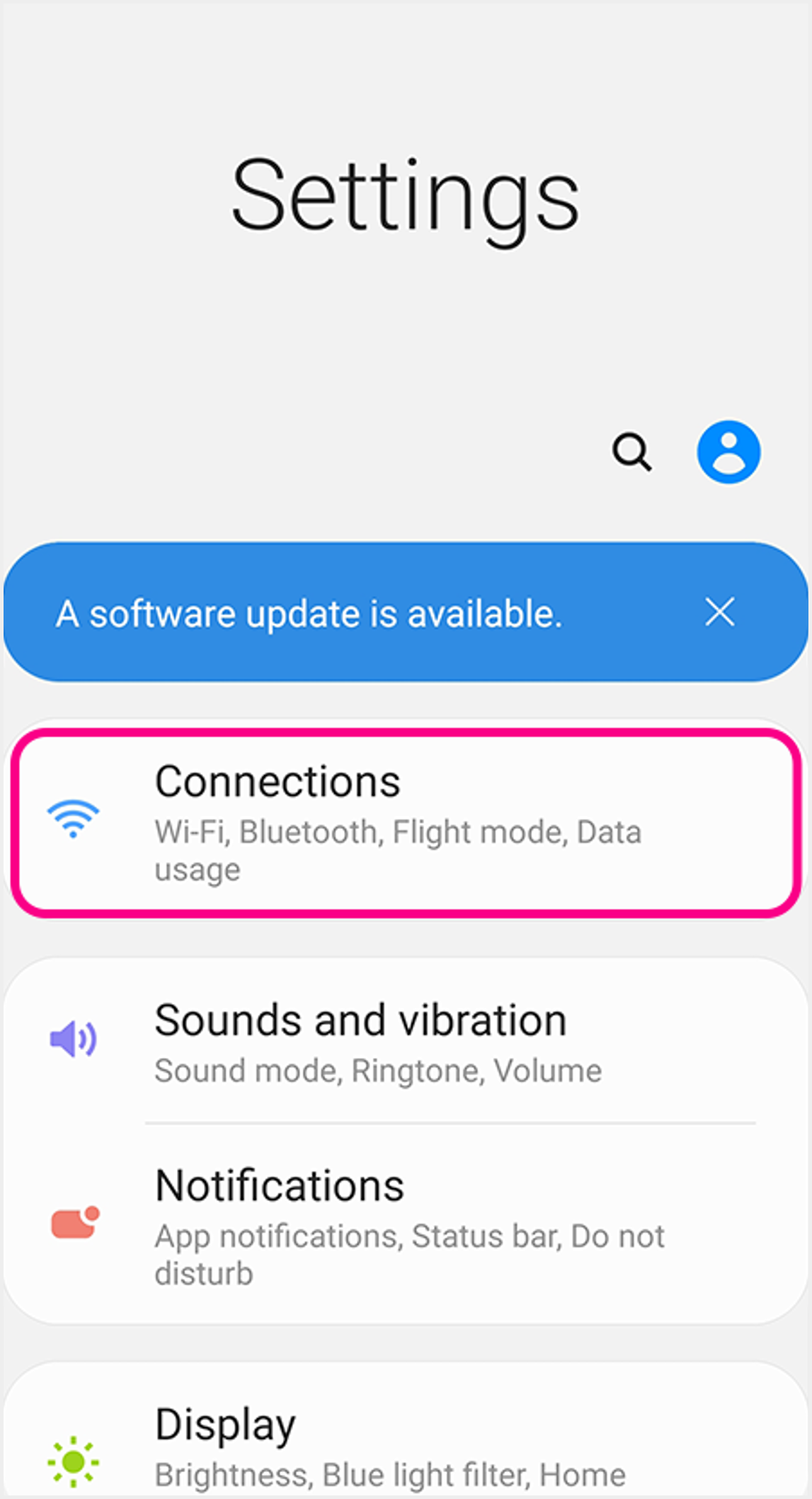 1a Set up VoLTE: Go to device settings, select "Connections" 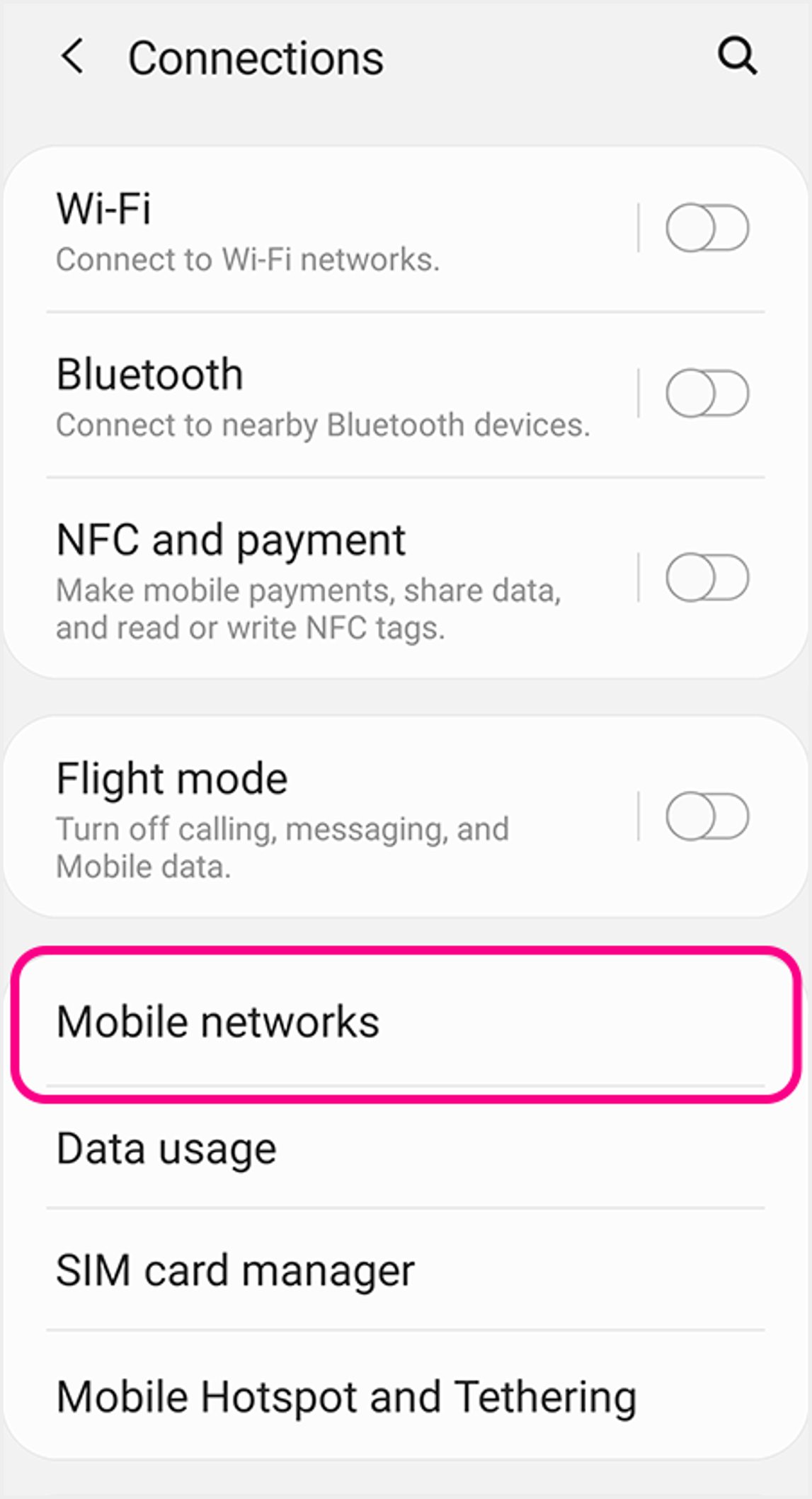 1b Select "Mobile Networks" 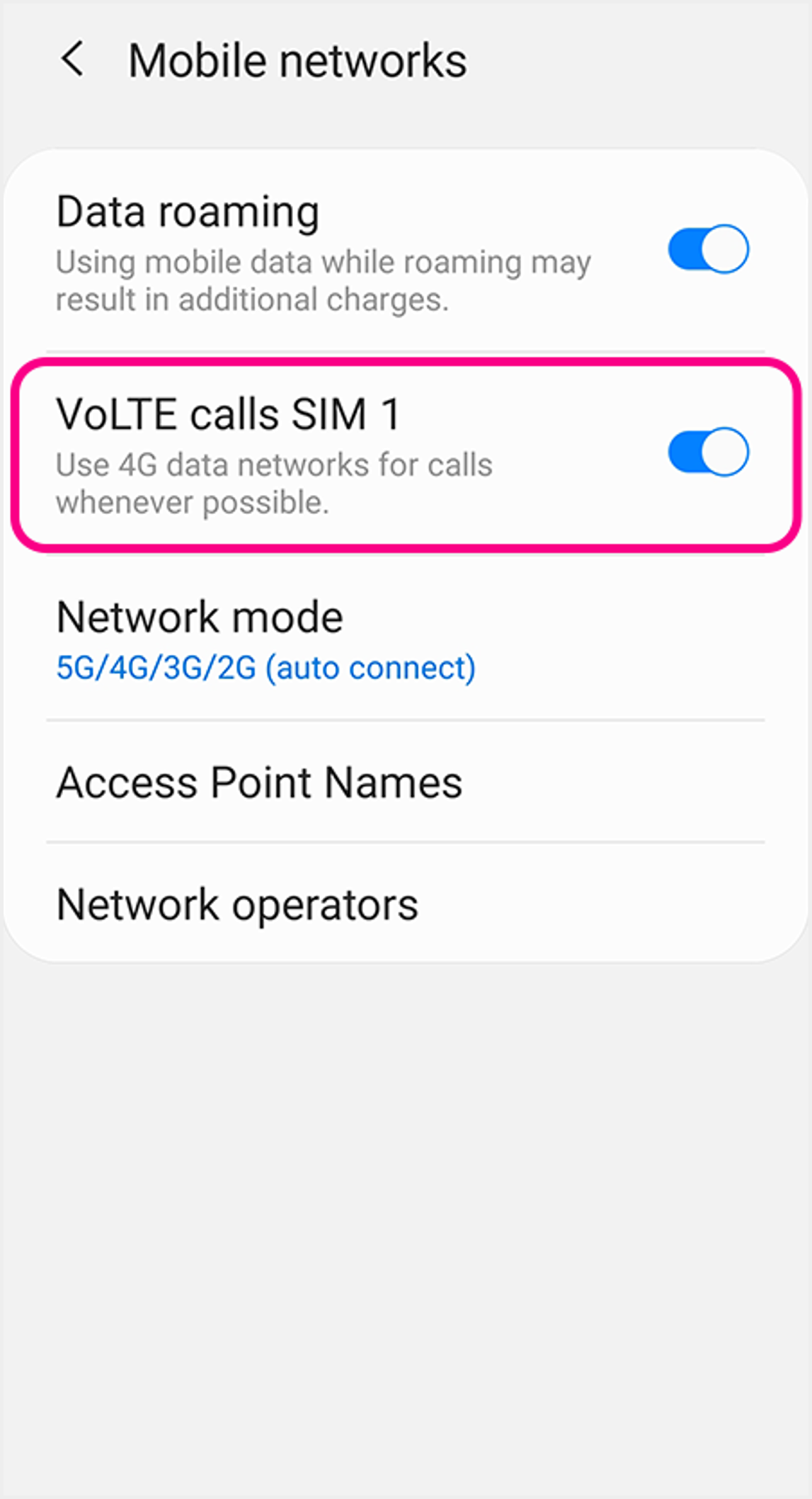 1c Choose the SIM you wish to activate VoLTE service, then click to turn ON "VoLTE Calls" to use VoLTE 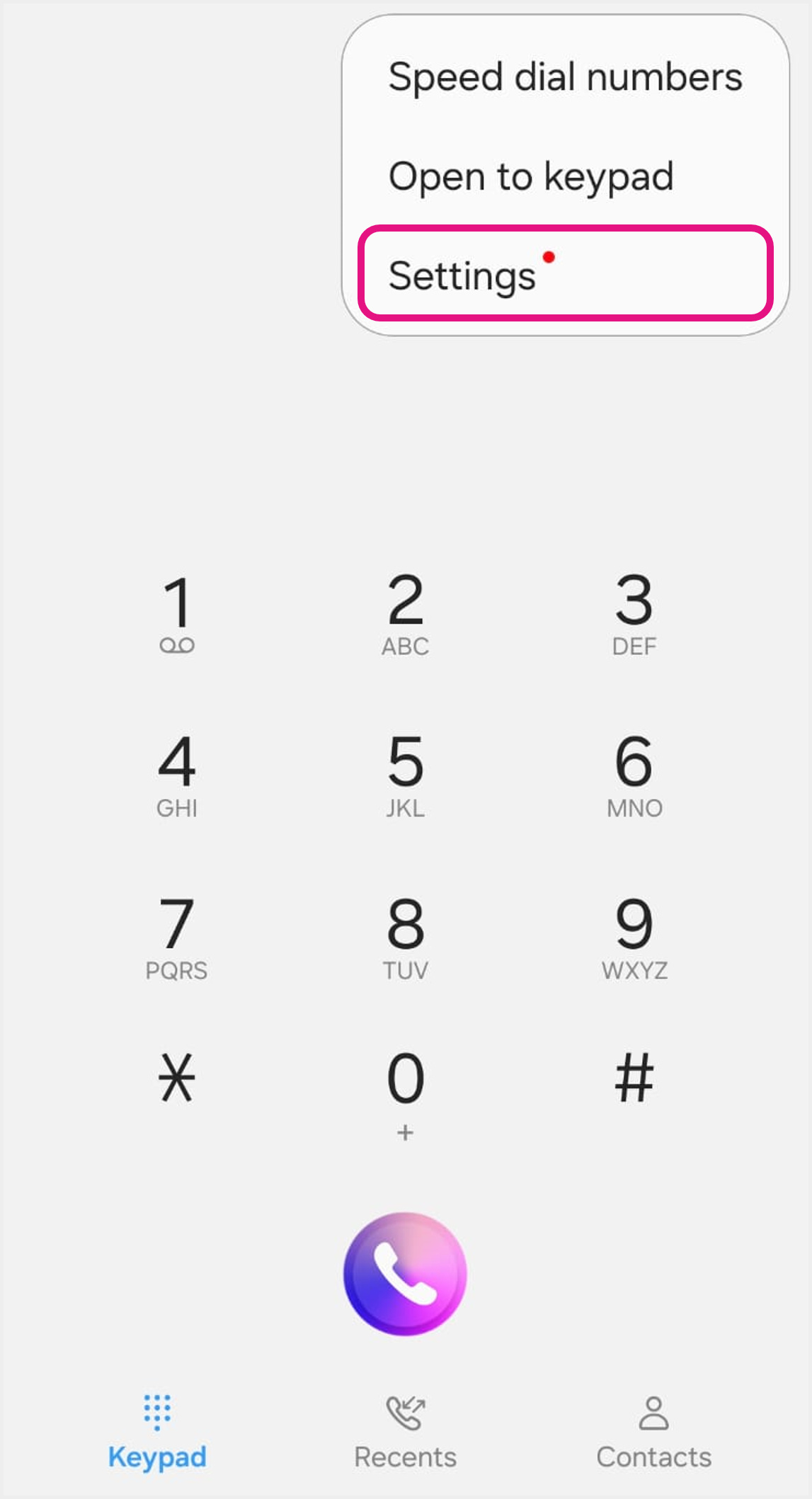 2a Set up VoWi-Fi: Go to "Phone" app of your device, click "Settings" in the toolbar at the top right corner 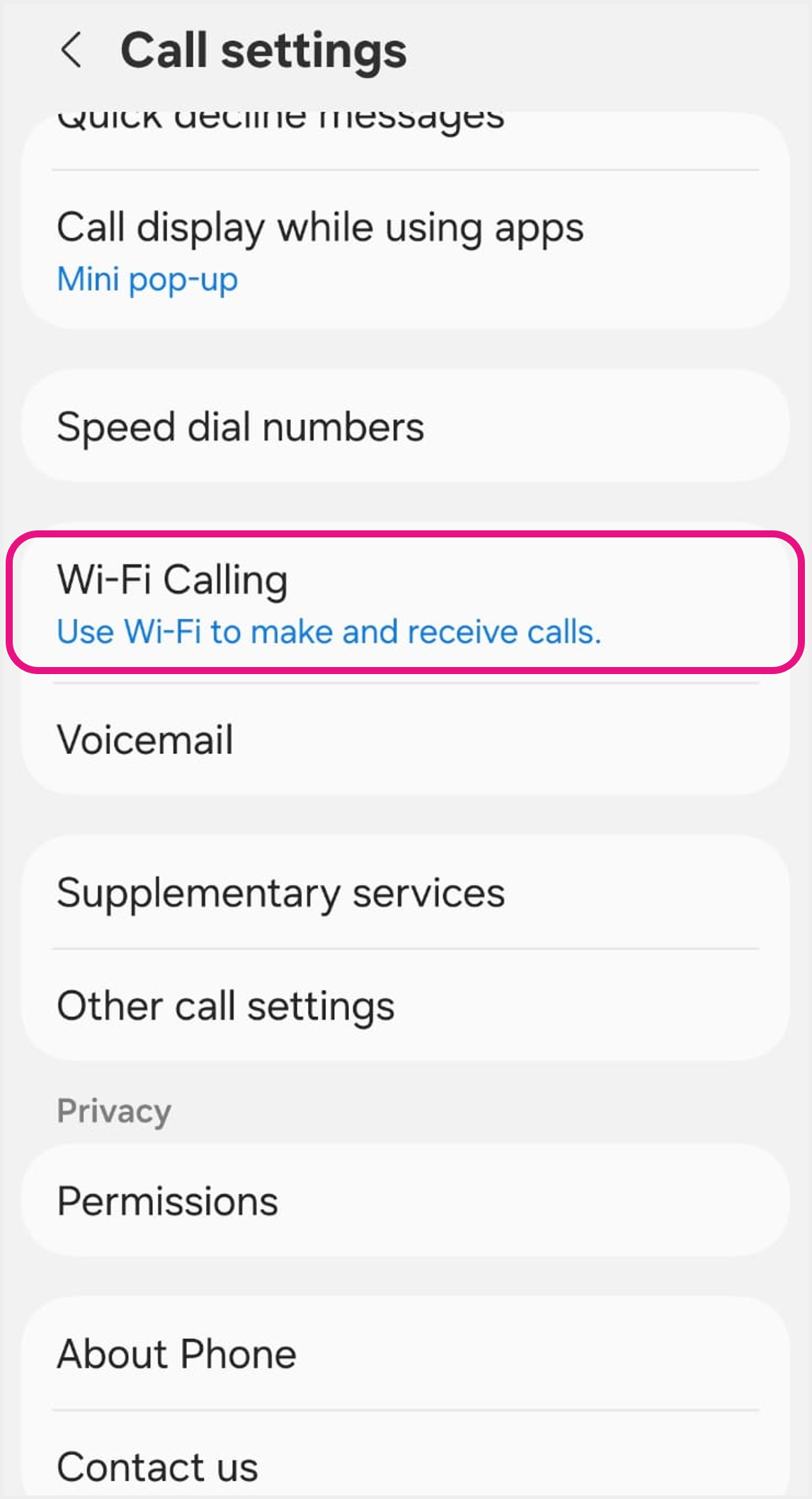 2b Click "Wi-Fi Calling" 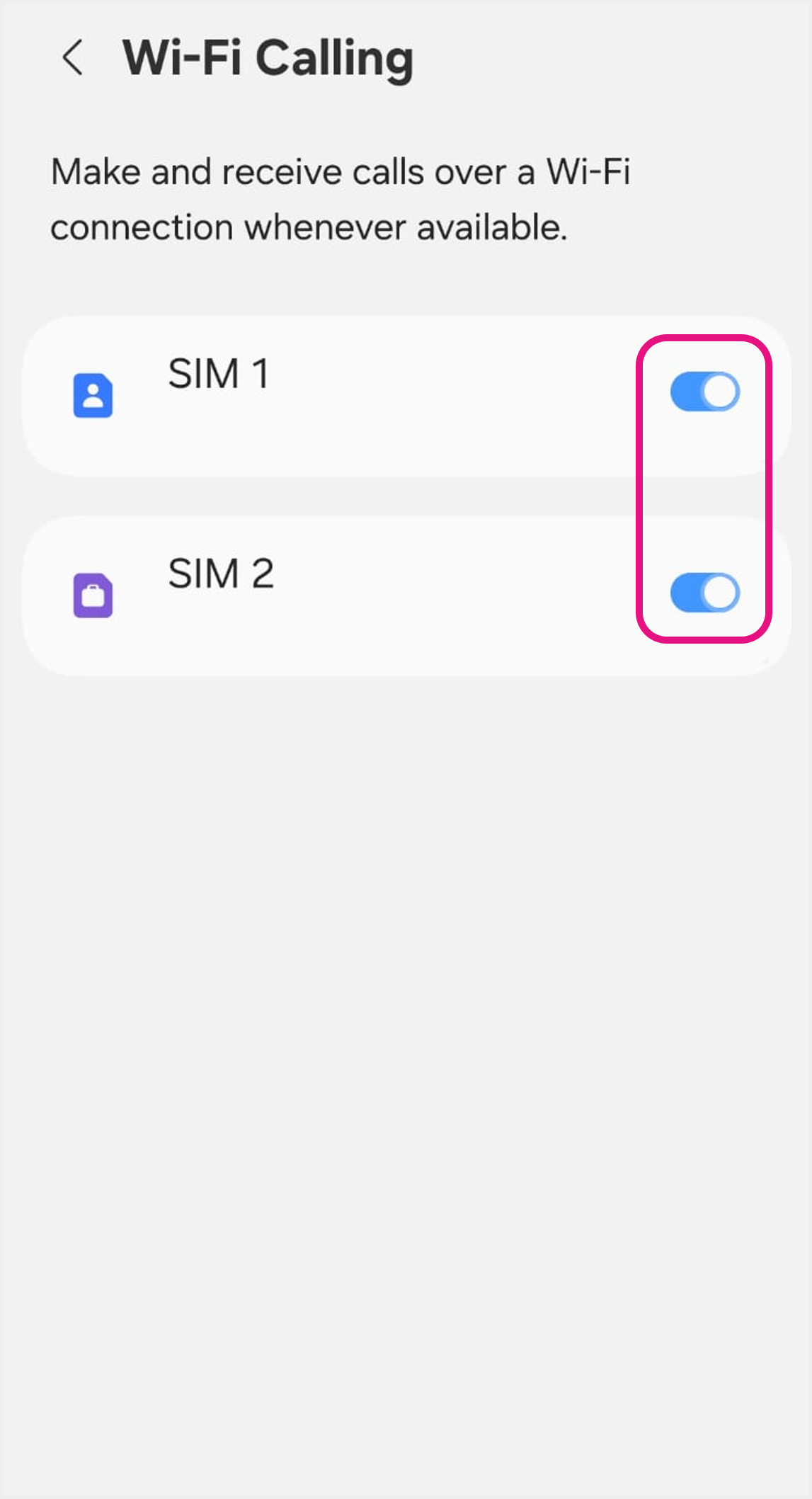 2c Choose the SIM you wish to activate VoWi-Fi service, then click to turn ON "Wi-Fi Calling" to use VoWi-Fi |