

 Log In












|
|
Supplementary SIM Redemption Guide  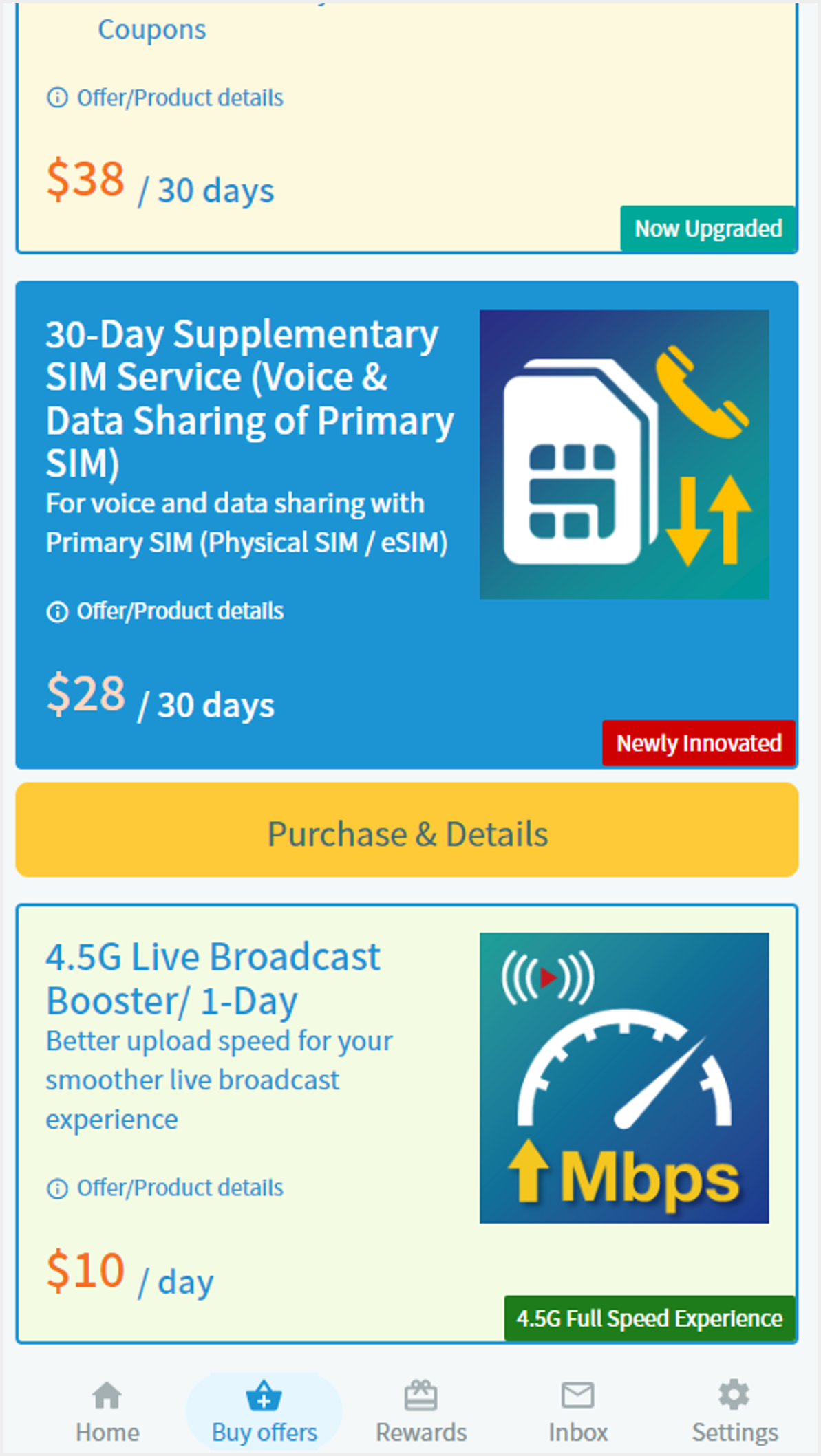 1 Enter Buy Offers > HK Local, select 30-Day Supplementary SIM service after logging in 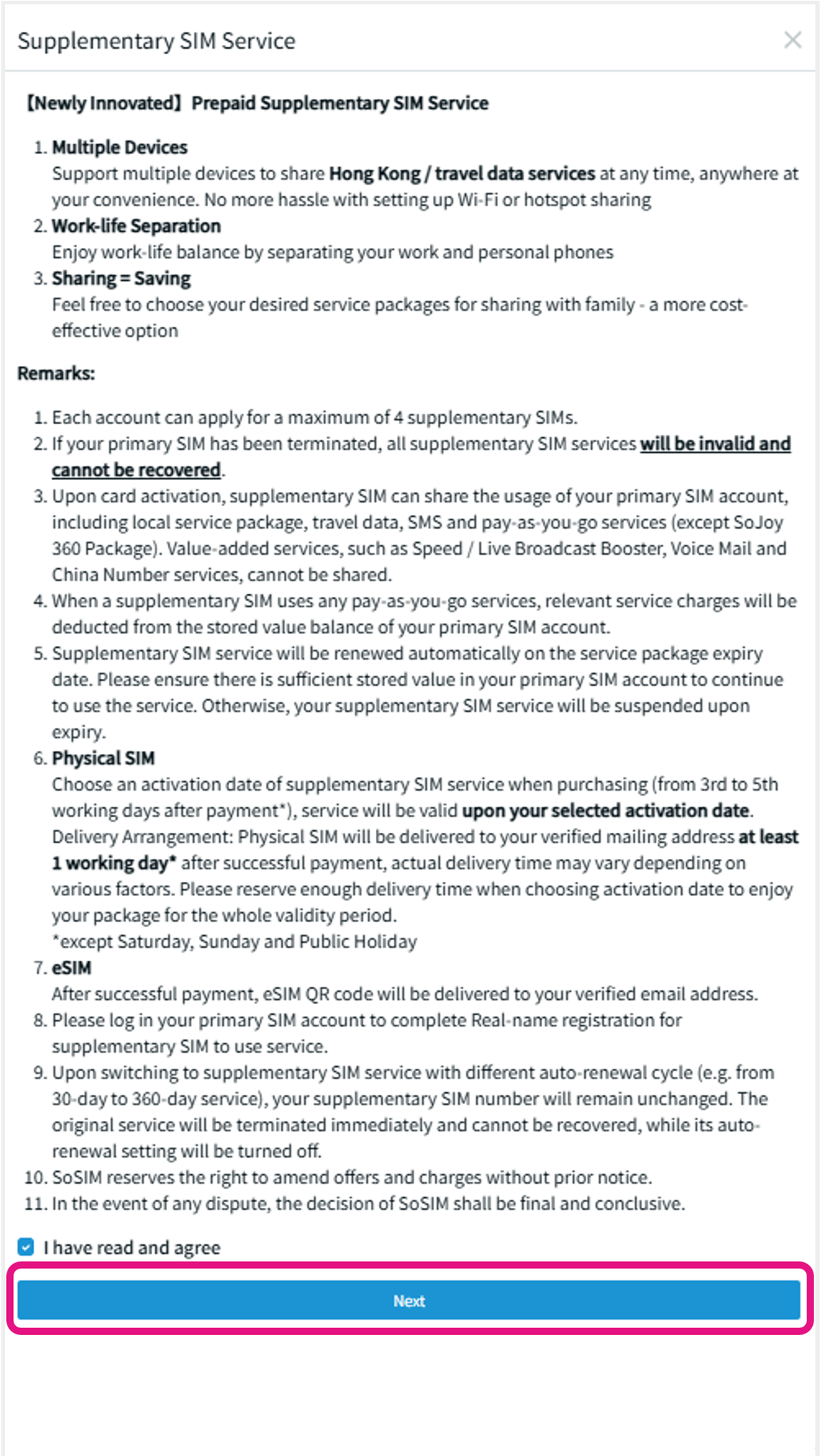 2 Read remarks and check the box to agree before going to the next step 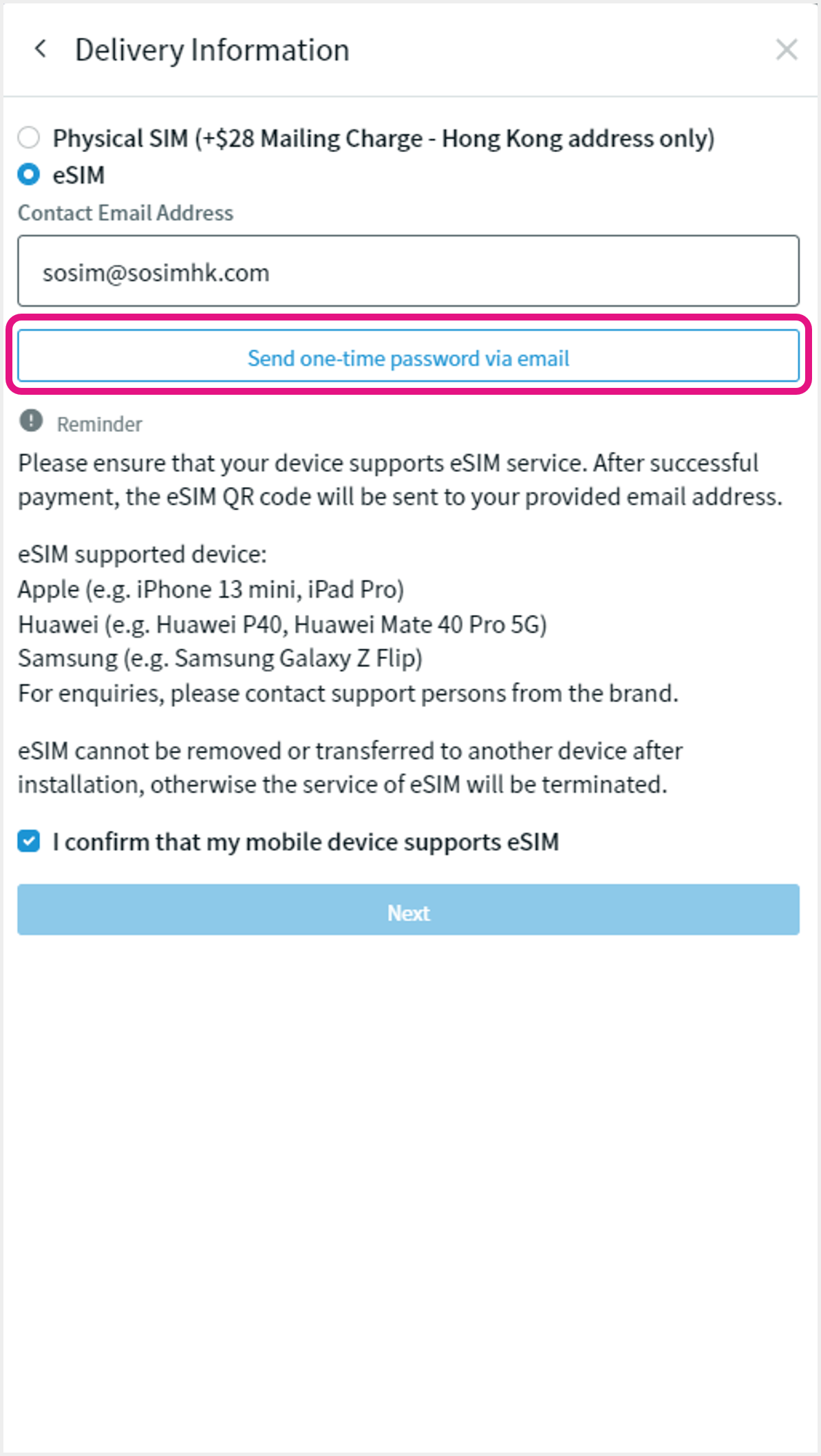 3 To redeem eSIM, select "eSIM" and enter email to receive one-time password (redemption QR code will be delivered via email) Read remarks and check the box to agree before going to the next step 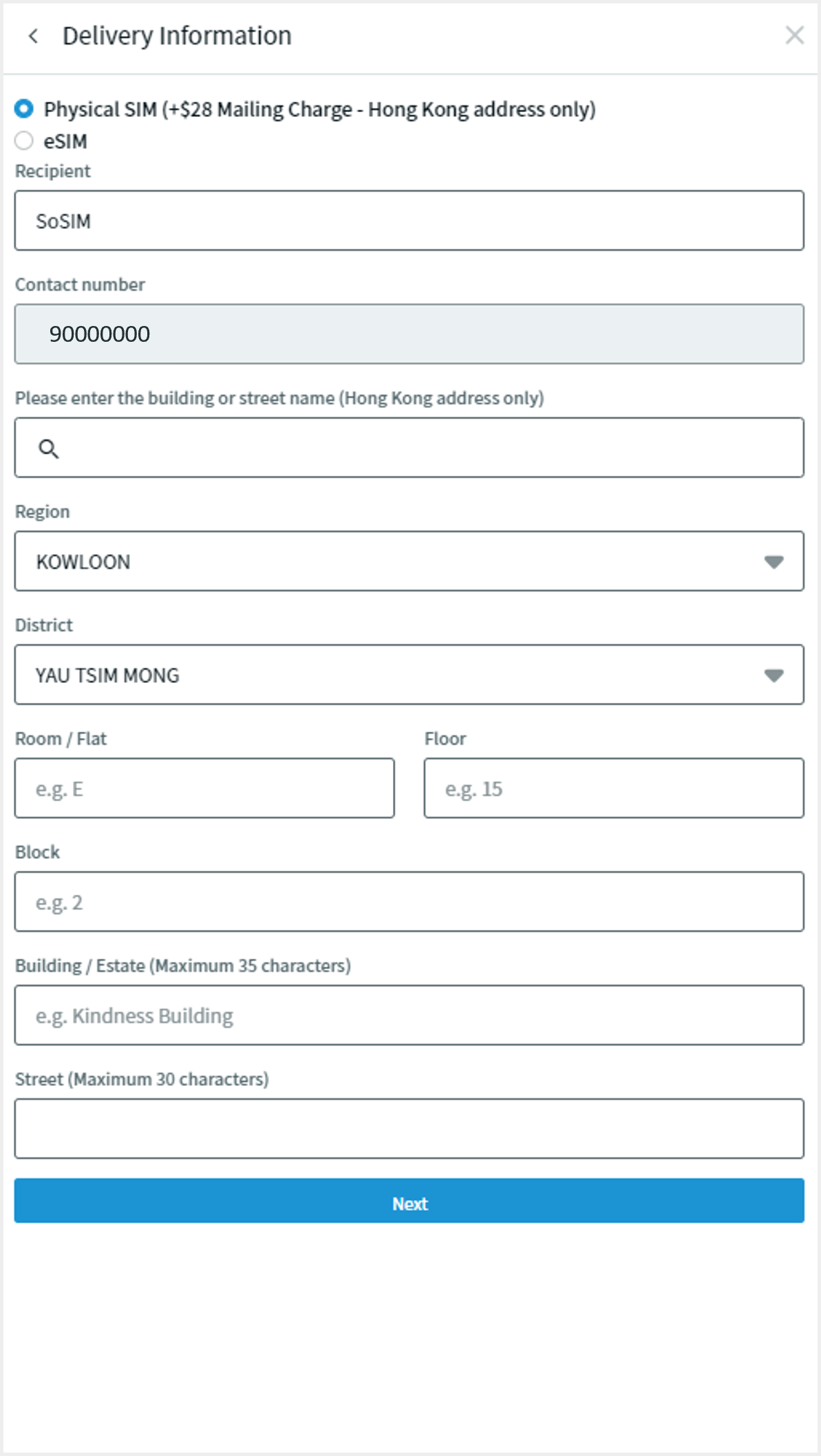 4a To redeem Physical SIM, select "Physical SIM". Then, fill in delivery information (i.e. recipient name and Hong Kong mailing address) Reminder: Additional delivery charge applies for physical supplementary SIM 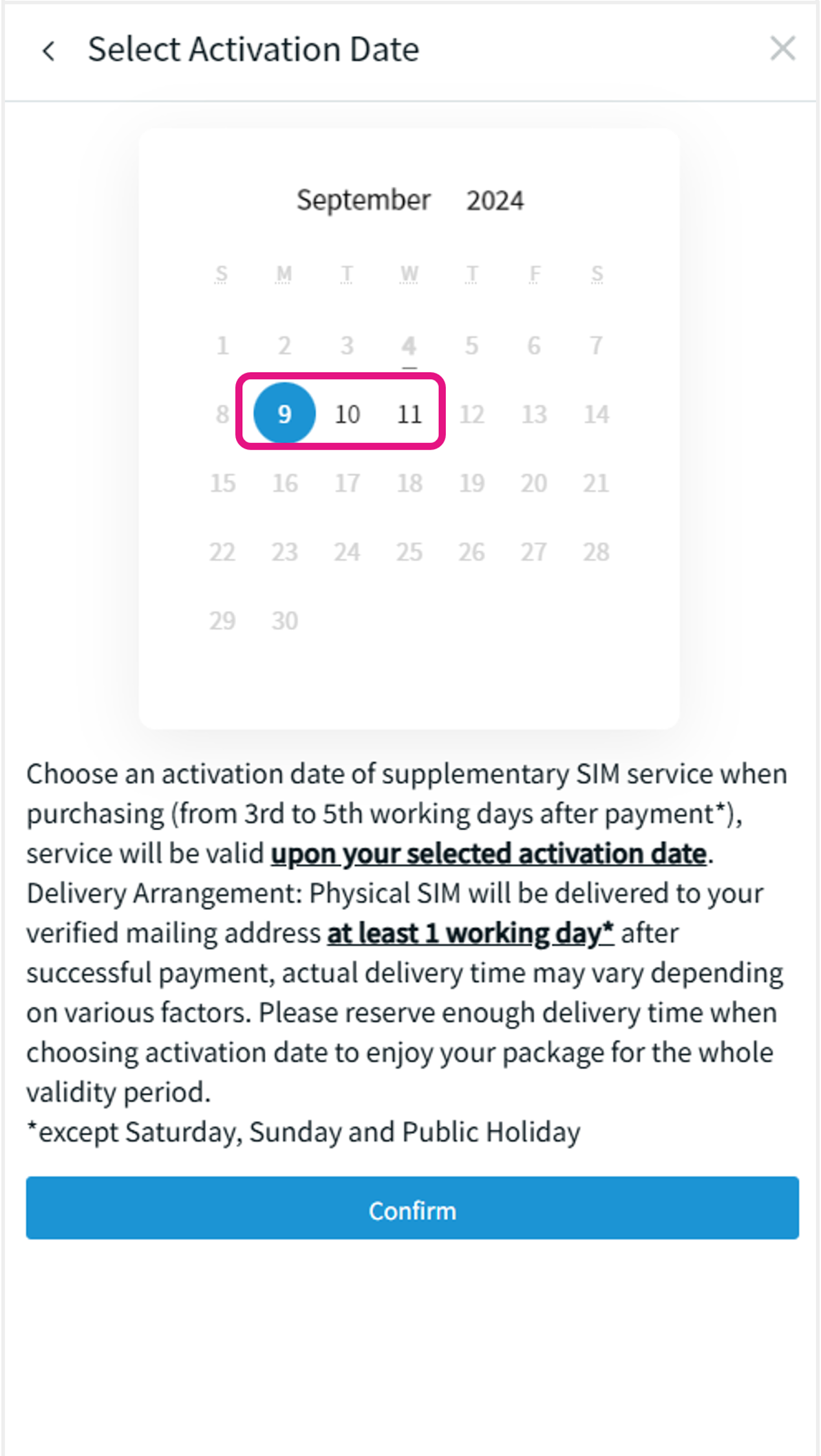 4b Choose an activation date of physical
supplementary SIM (from 3rd to 5th
working days after payment, except
Saturday, Sunday and Public Holiday).
Service will be valid upon this
selected activation date
Then click “Confirm” 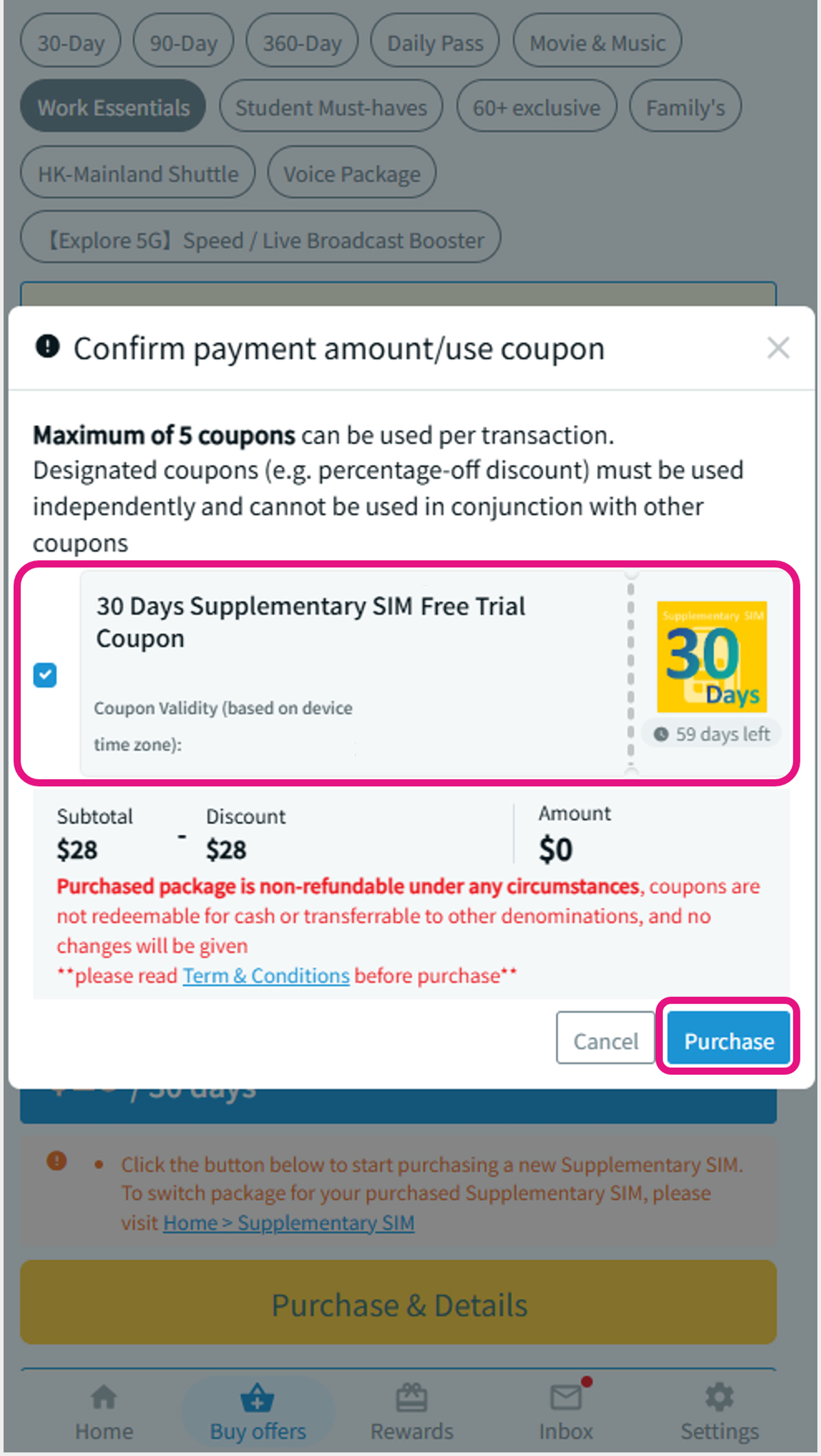 5 Select to use Supplementary SIM coupon to waive the first 30 days service charge. Then click "Purchase" and proceed to payment 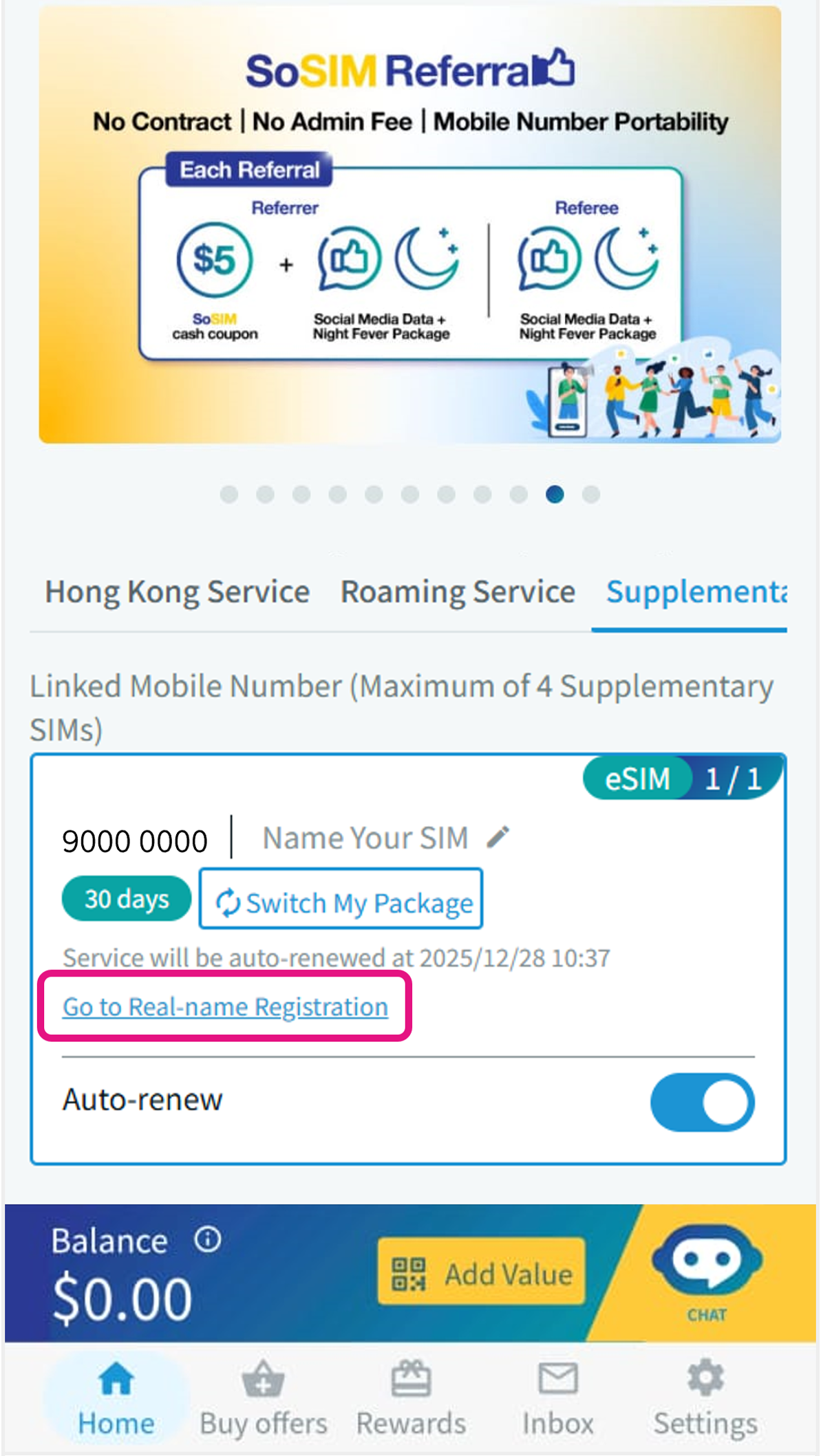 6 After successful payment, visit Home > Supplementary SIM to manage the service via your Primary SIM account (including complete supplementary SIM real-name registration, view service package validity, update auto-renewal setting and supplementary SIM name) For eSIM: Scan QR code delivered to verified email address to install and activate For Physical SIM: Insert SIM into mobile device on or after selected activation date to activate |
|
Terms and Conditions:
|